
Match Day
Run your season on your own website.
Fixtures, ladders, team sheets and a referee’s screen that works with no signal, and the whole of a tournament weekend from the first invitation to next year’s. Everything lives on your club’s own site, under your own name, and your members never have to download anything.
Every grade in one place
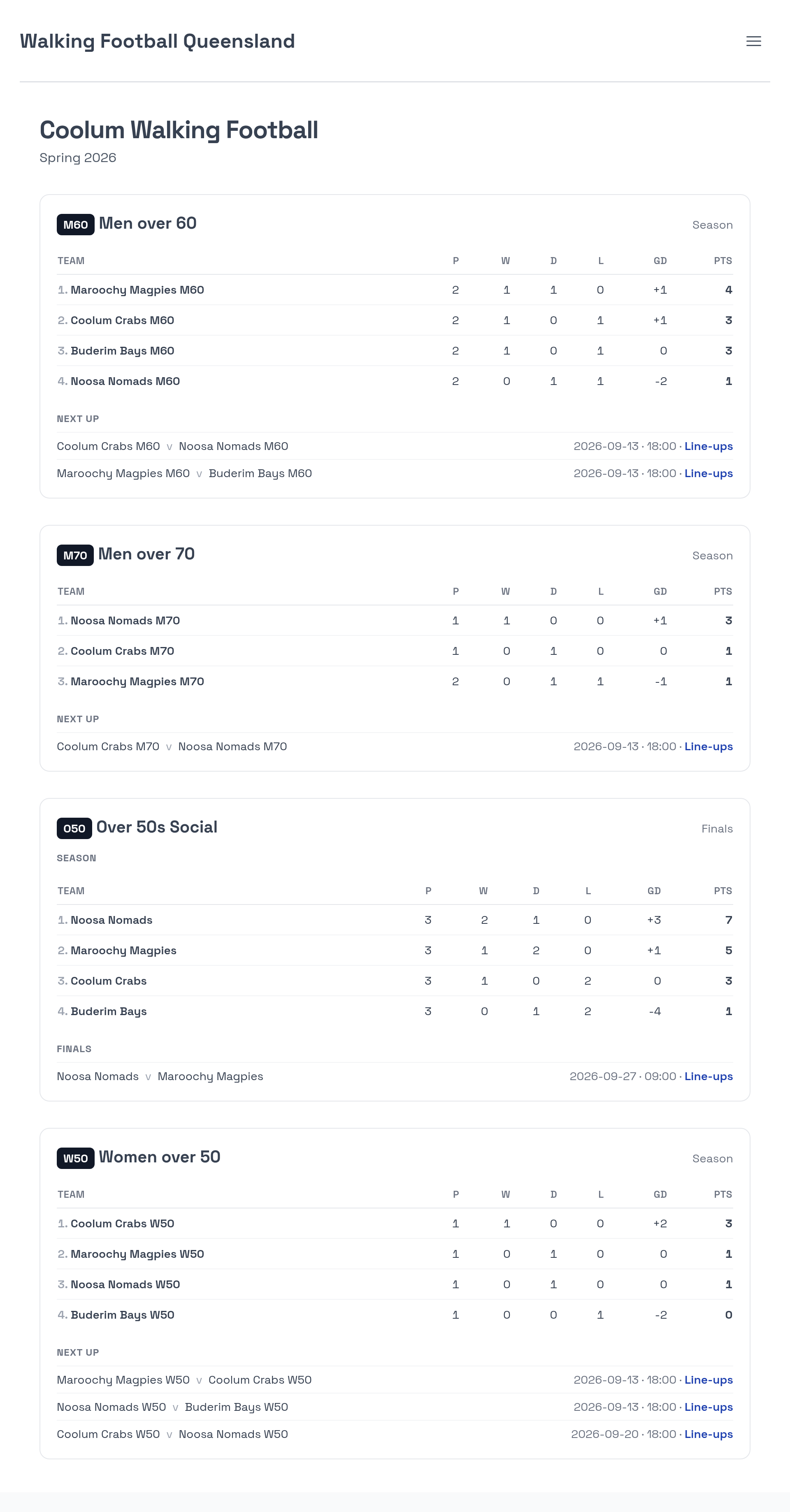
A club runs more than one competition. One club fields O50, M60, M70 and W50s in the same season, and a player knows their grade and their club, not a web address. One page carries them all, each with its own table and its next fixtures, so nobody has to be sent a link to find out how their side is going.
Tables, results and what is coming up
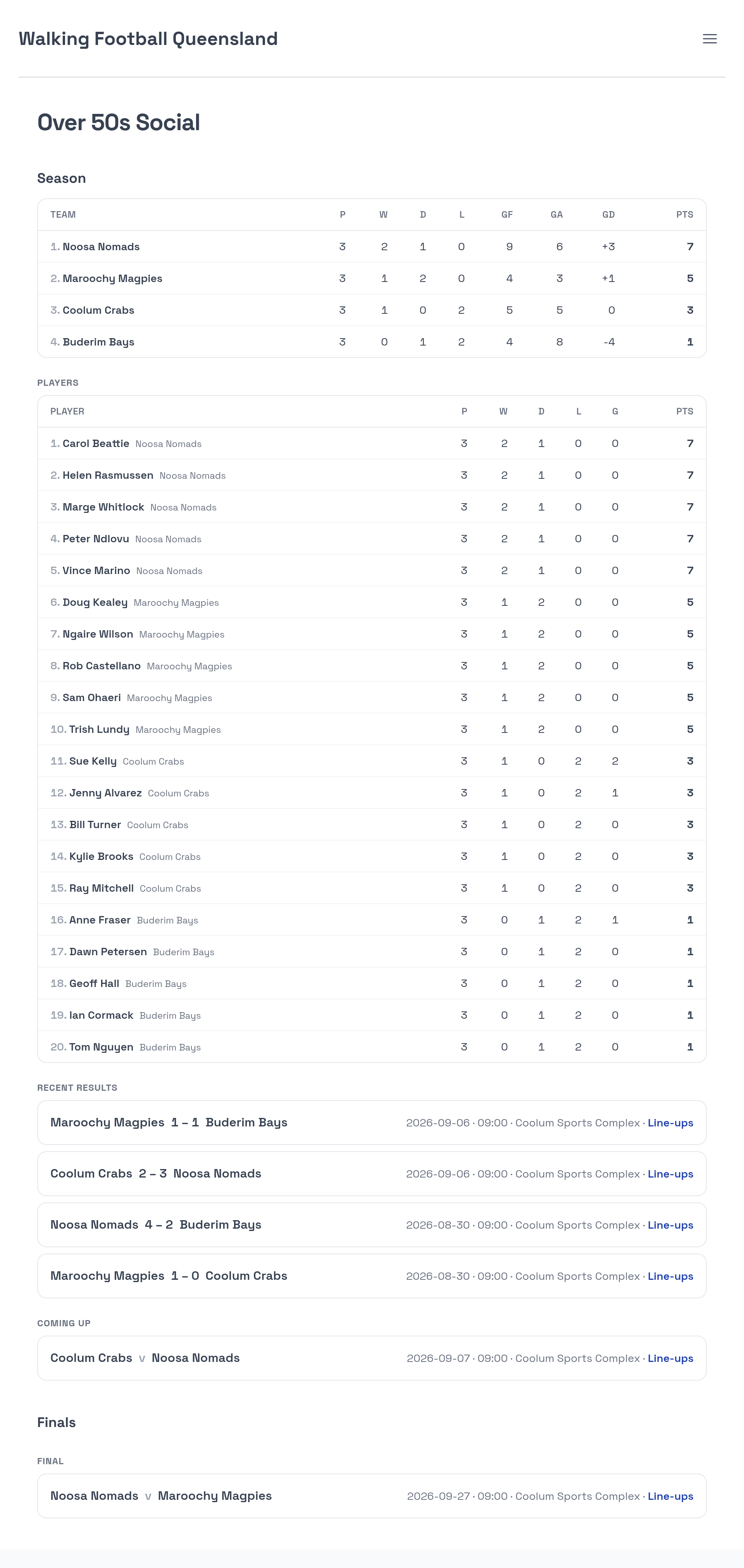
Played, won, drawn, lost, goals for and against, goal difference and points, worked out from the results as they are entered. Points can be awarded to teams, or to the players who were actually named for each match, which suits a competition where the sides are not the same people every week.
Who am I playing with?
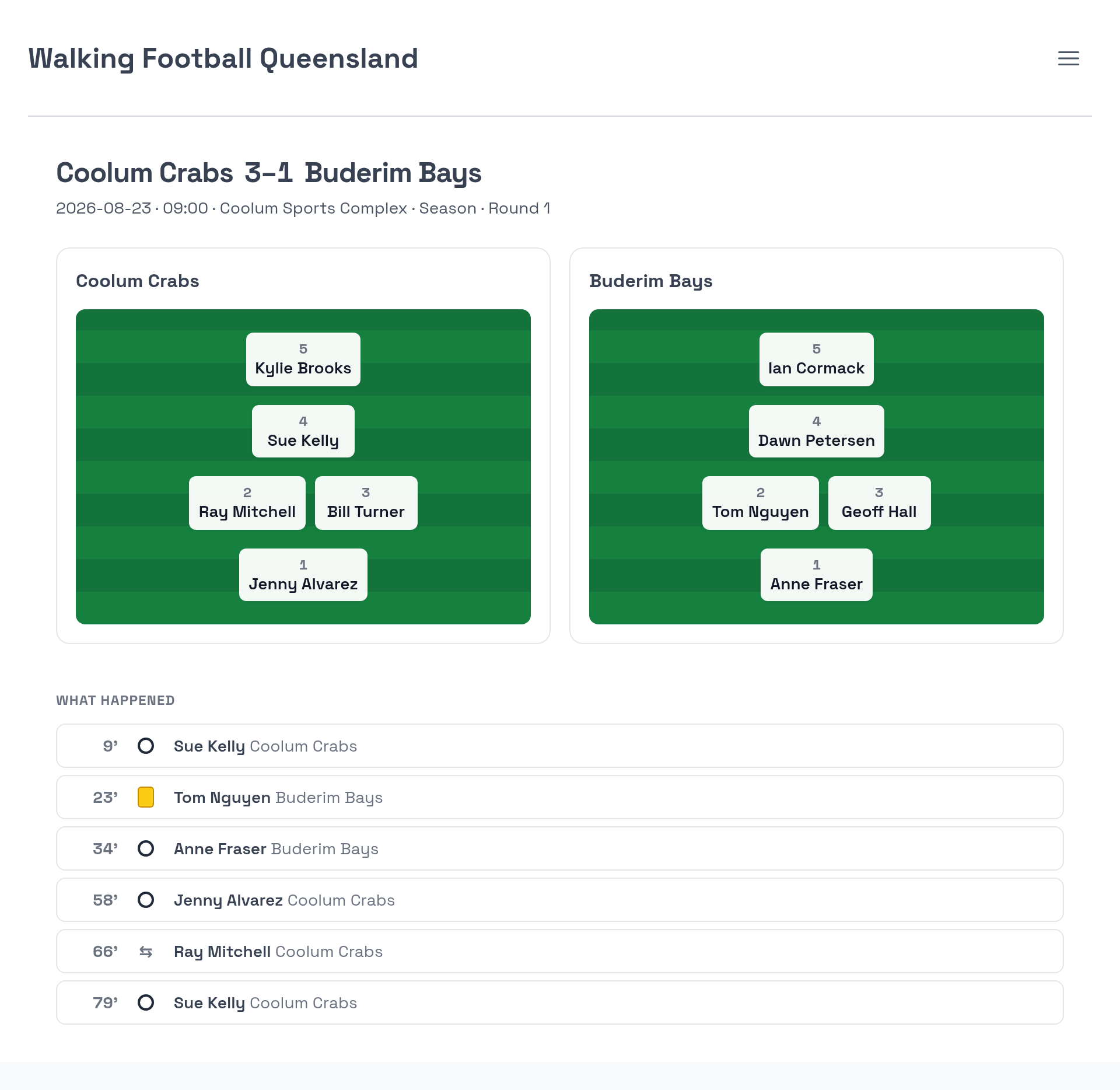
A list of names does not answer that. Every fixture has a page: what happened minute by minute, down to the penalty shootout, and under it both sides laid out on a pitch by the position each player was given, with the bench named. It is public, so nobody has to log in to find out who they are on with on Saturday.
One account, the whole family
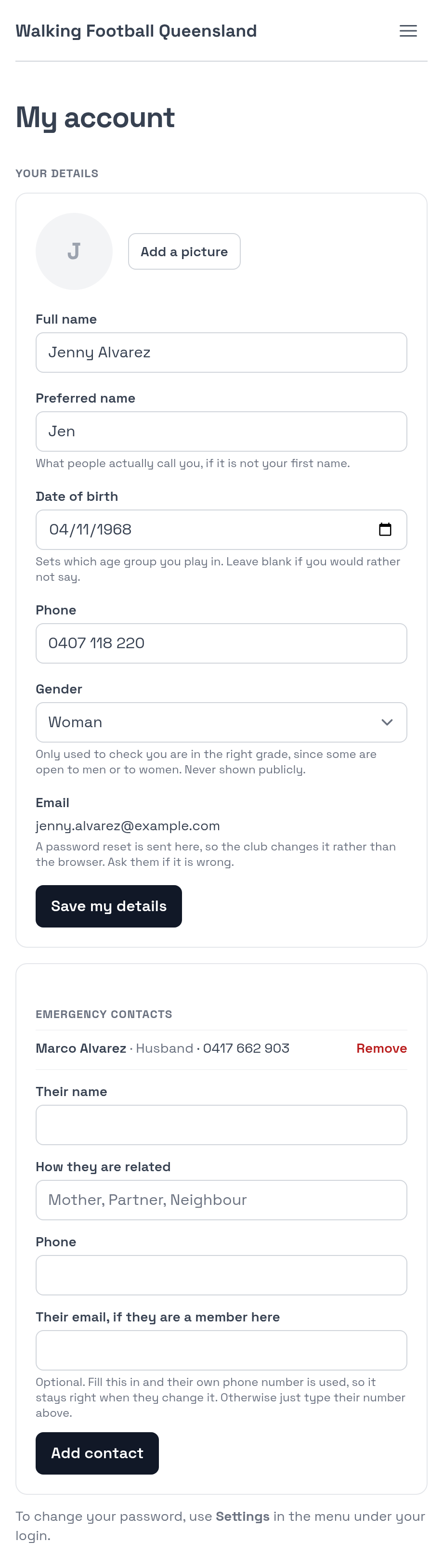
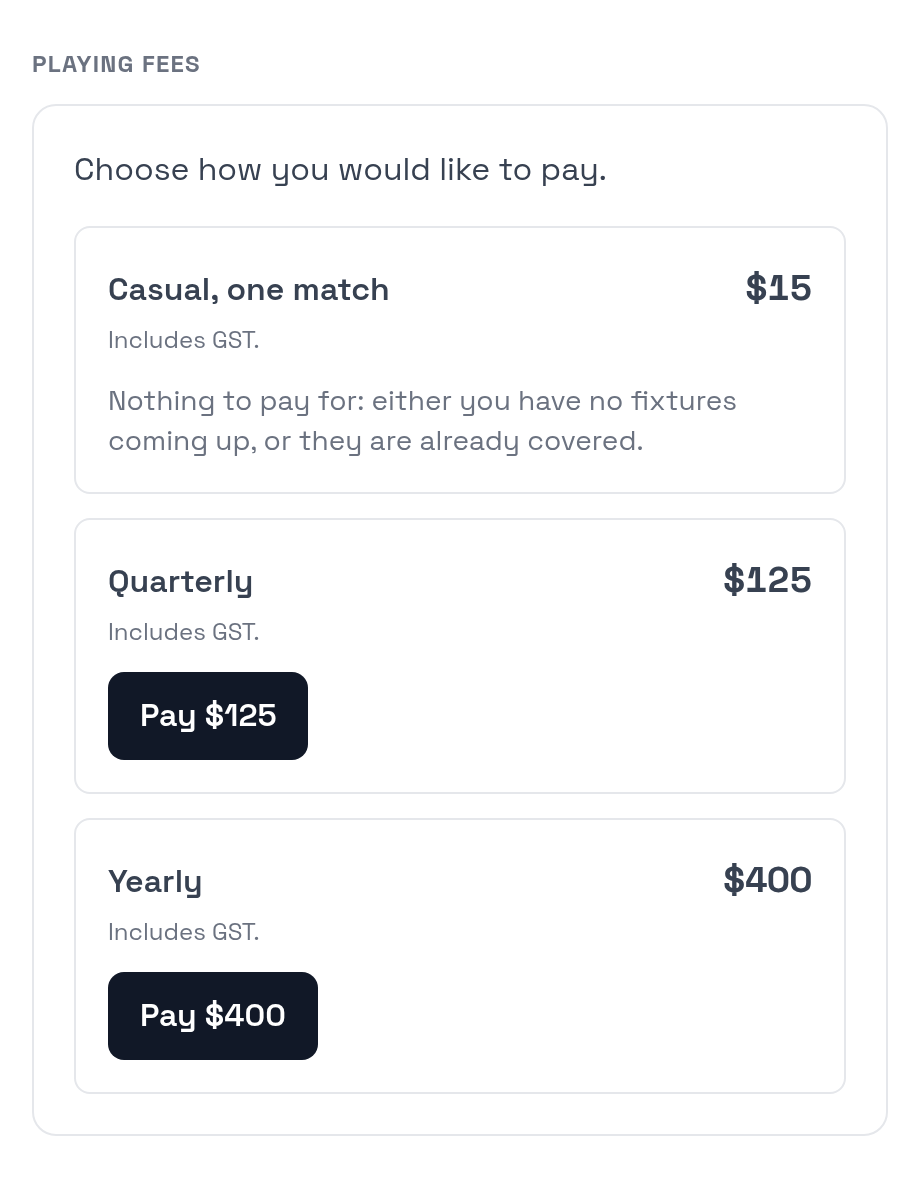
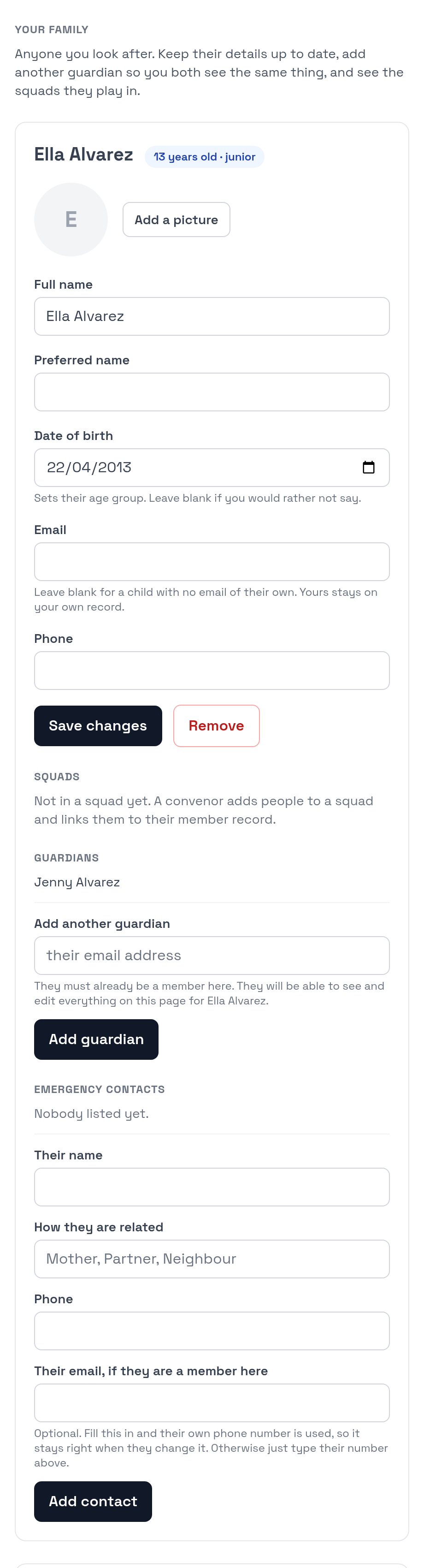
A member keeps their own details, a photo, emergency contacts and their playing fees in one place. Parents add their own children, who get a profile rather than a login, and can answer availability and manage details on their behalf. Two parents can both be on the same child.
Pick a side, and pick a fair one
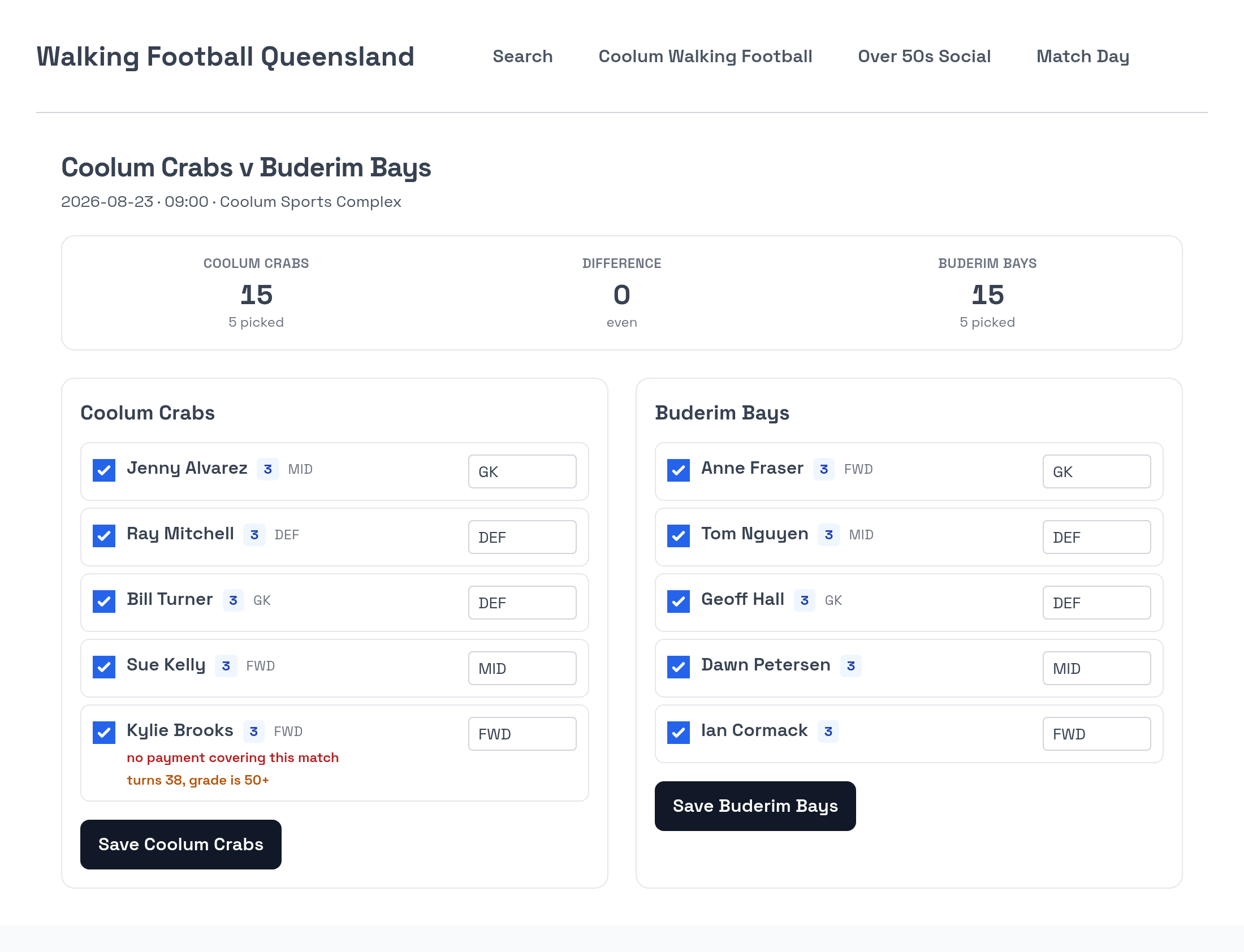
Selection shows four things at once: whether a player is financial, whether they are the right age and grade, what positions they cover, and how strong they are. Both sides’ totals sit at the top with the gap between them, because the real question is not whether a player is good but whether these two teams are a fair match. Nothing is blocked; everything is flagged.
A referee’s screen that works on a wet pitch
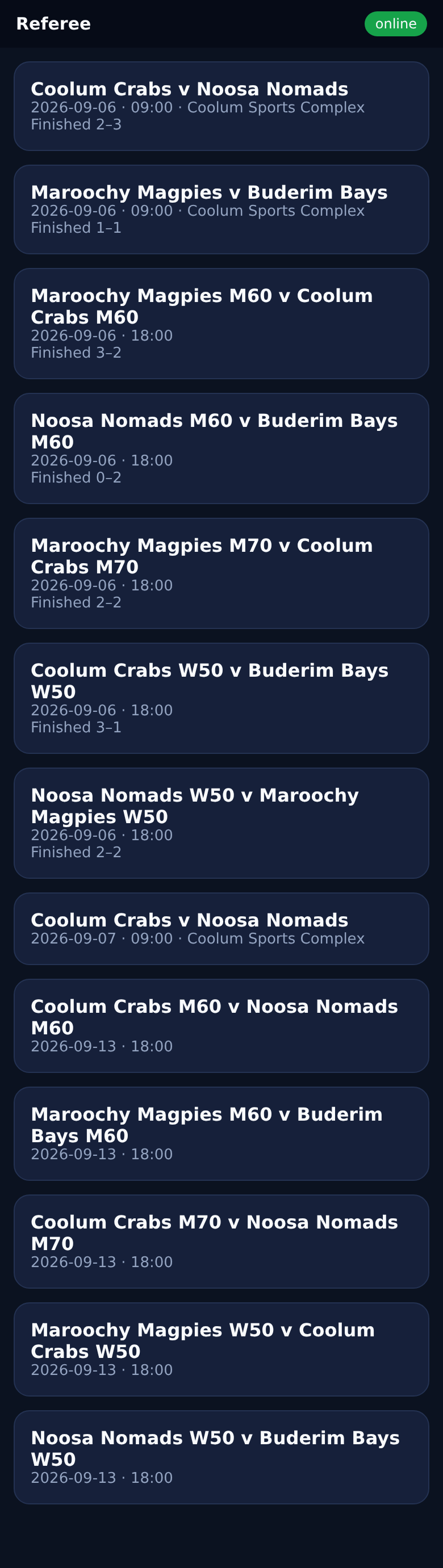
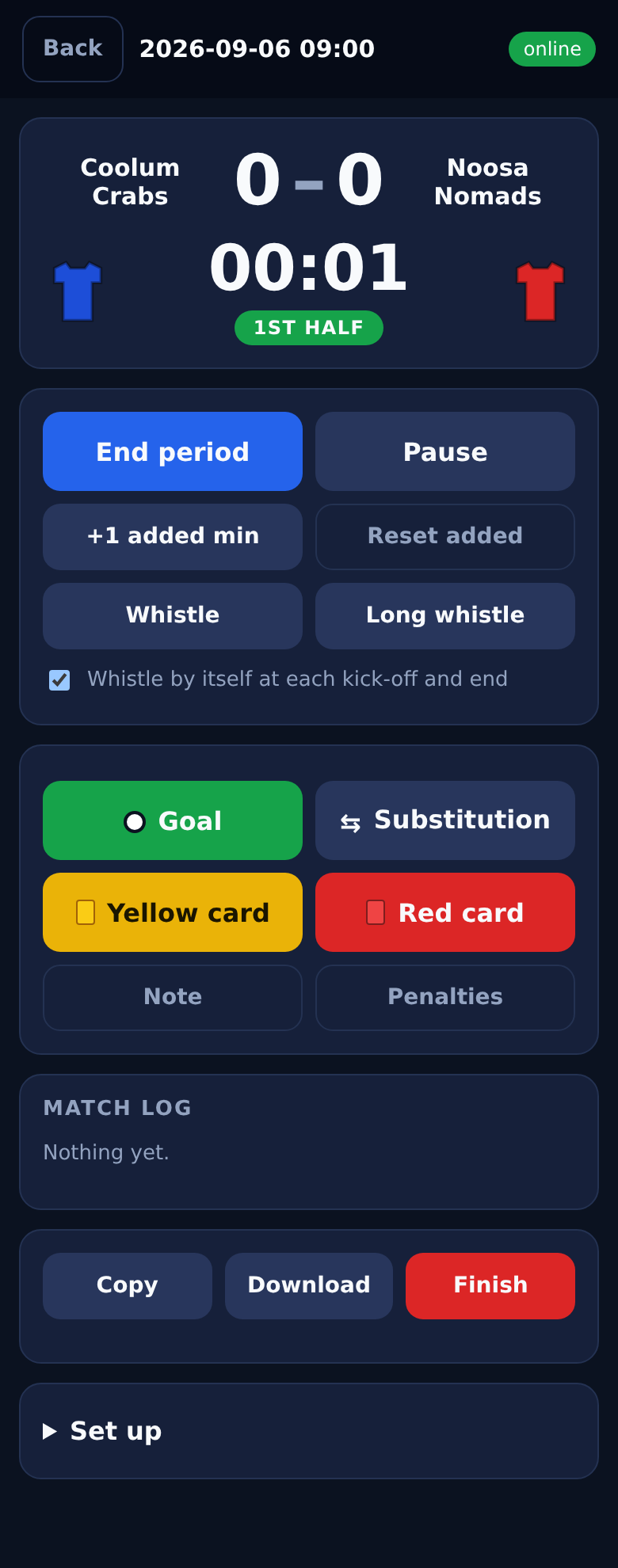
The clock, the score and the card record on one phone. It works with no signal: everything is written to the phone first and syncs when it can, so recording a goal never waits on a spinner. The volunteer’s phone is approved once for the season, so there is no account to create and no weekly link to email.

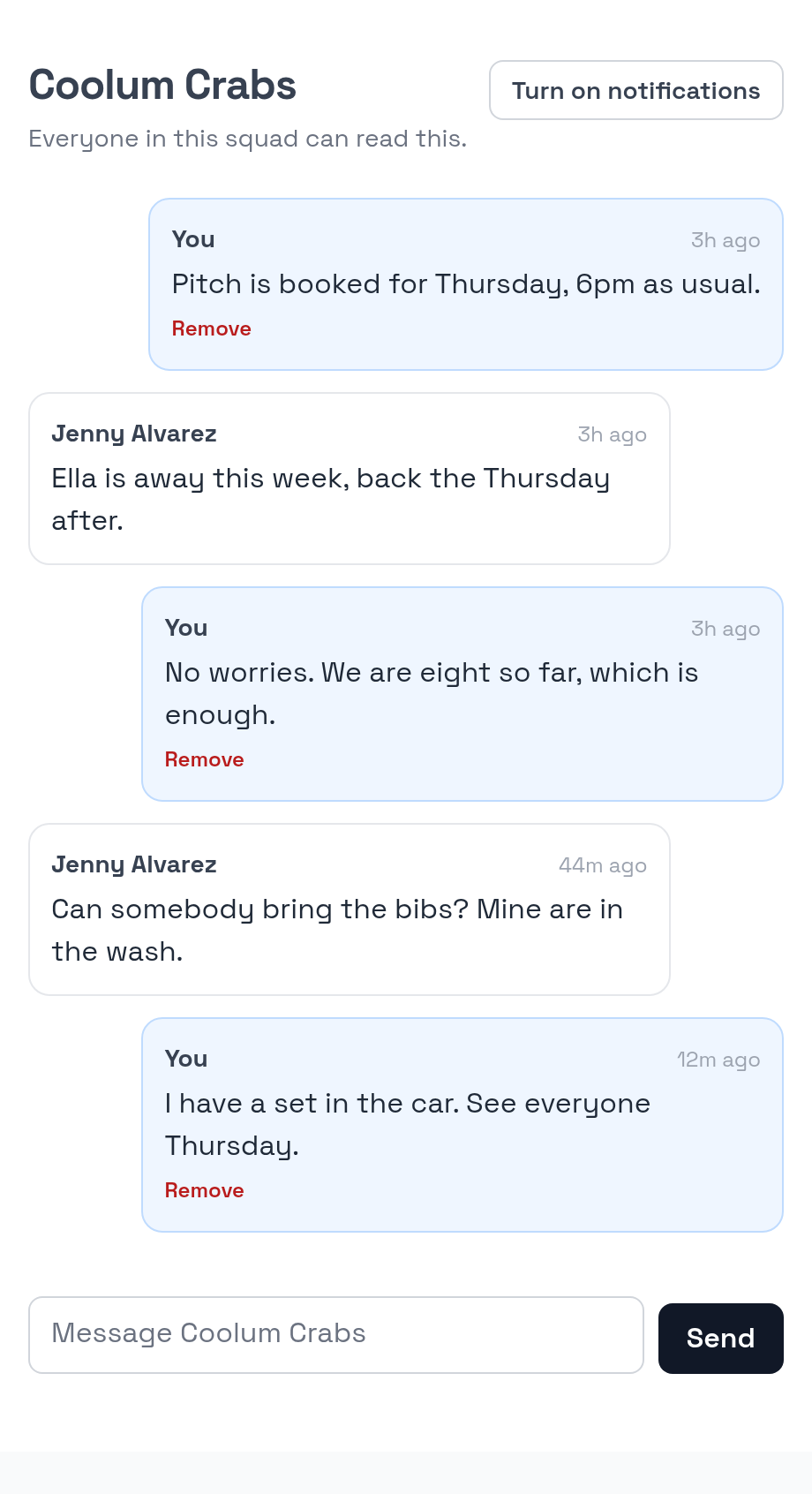
A thread for each squad
Each squad has one thread, on the site the member is already logged into, so there is no second app and no second password. It knows who everybody is, which is the part a chat app cannot do: juniors are kept out of chat and their guardian reads and posts for them, so a parent sees what their child’s squad is being told without the club running two systems. There are no direct messages, deliberately. There is a thread for the whole club as well, and it sits on the home page rather than behind a link, so it is the first thing a member sees rather than something they have to go looking for. On Android a new message buzzes the phone; on an iPhone it does once the site is added to the home screen.
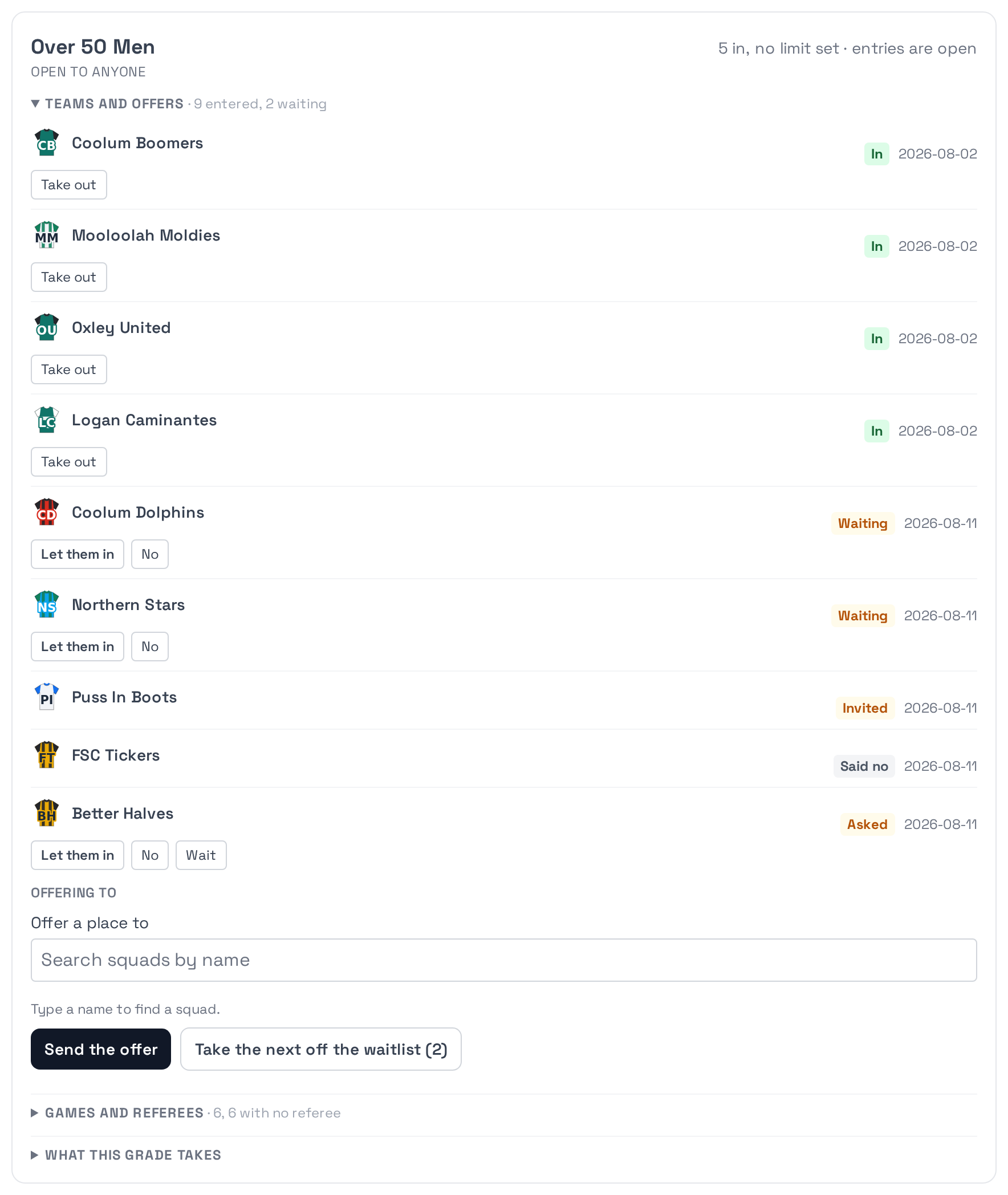
A festival, from the first invitation to next year’s
Running a one day tournament is a different job from running a season. It is twenty clubs you have never met, a draw that has to be fair to all of them, a day with no slack in it, and a committee who will have forgotten half of what went wrong by the time they sit down to do it again. Match Day carries the whole of it, and most of what it does is arithmetic somebody would otherwise do out of a draw sheet and their memory.
Entries, without a spreadsheet
Invite a club or let them ask for a place. Each entry has one record and one status, so there is a single answer to who is in rather than an inbox and a spreadsheet that disagree. When a grade fills, the next club goes on a waitlist in the order they asked, and a place that falls through on the Friday goes to whoever is at the top of it. A club answers from a link in the email with no login and no password to reset.
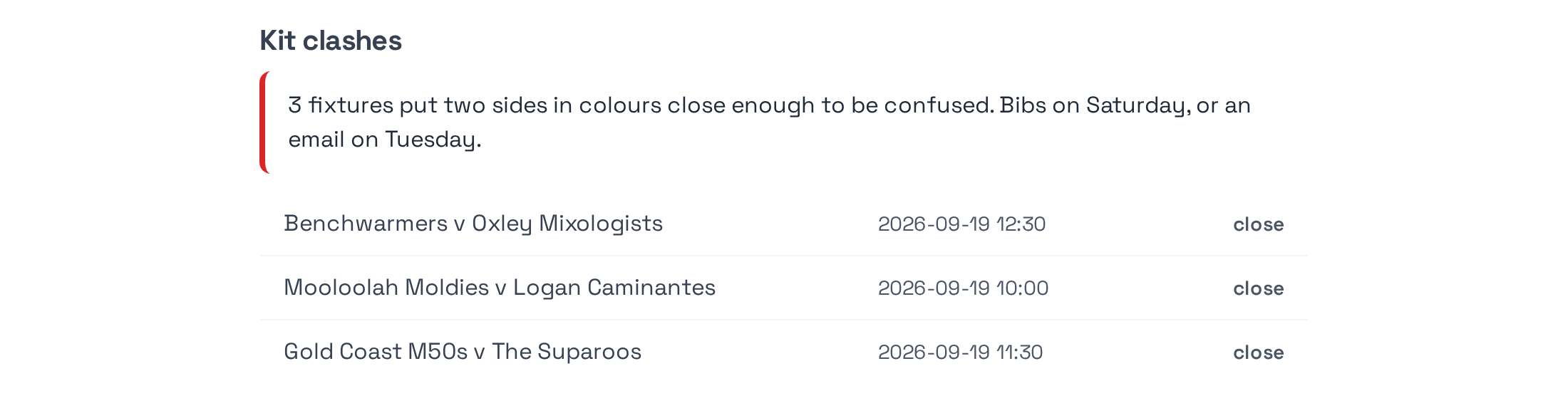
The draw, and what is wrong with it
Round robin, double round robin, groups then finals, across as many pitches and kick off times as the day has. Then it is checked while there is still time to change it: whether every side is drawn the five games a one day tournament is supposed to give them, how many referees the busiest moment of the day actually needs, and whether any two sides are drawn against each other in the same colours. A kit clash found on Tuesday is an email. The same clash found on Saturday is somebody driving home for a set of bibs.

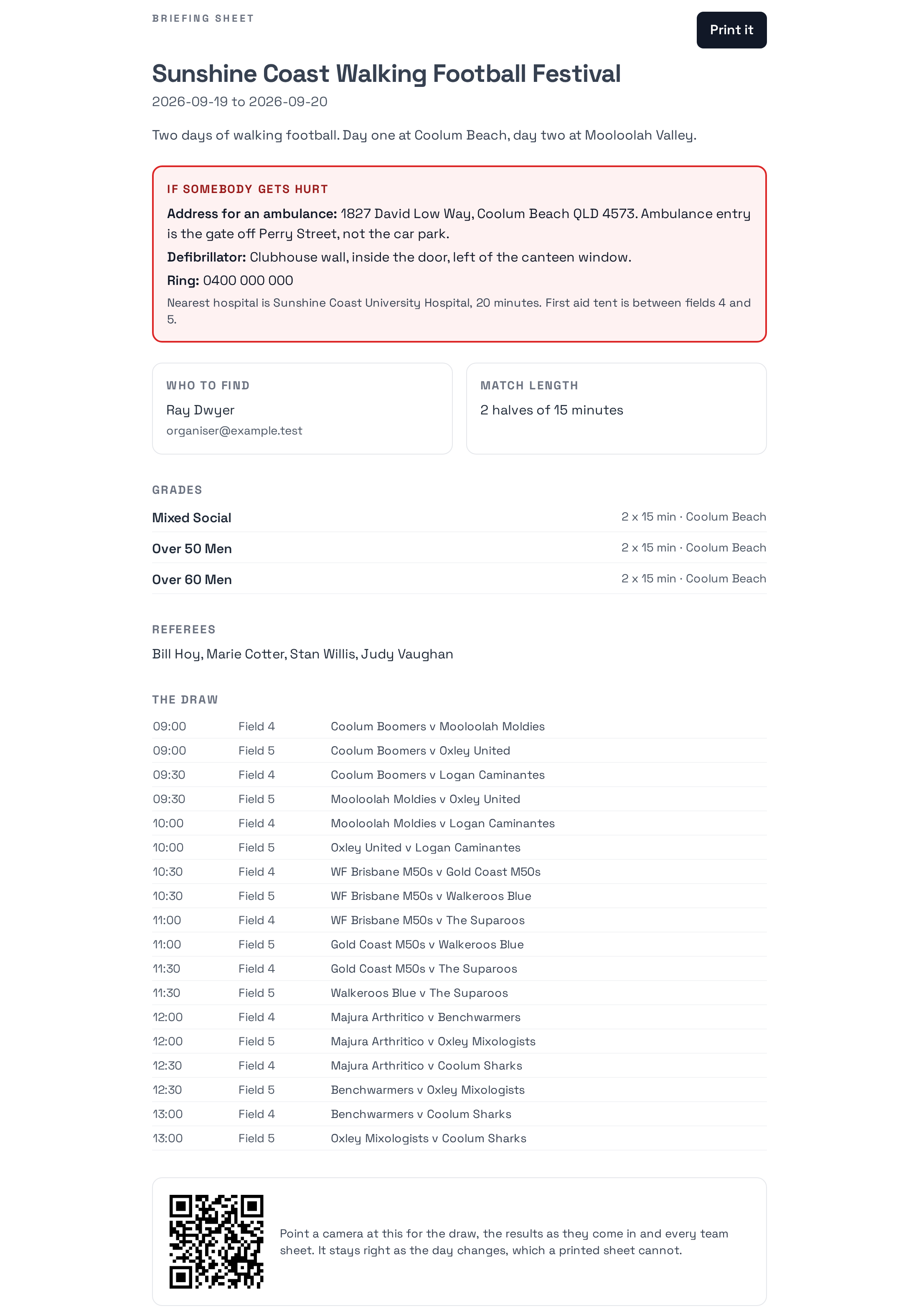
One page to print for the morning
Where an ambulance should be sent and where the defibrillator is, who to find, how long the halves are, every grade, the referee panel and the whole draw, on one sheet. It is the page that gets handed to the person on the gate, and it is the one thing on the day that should not depend on phone signal.
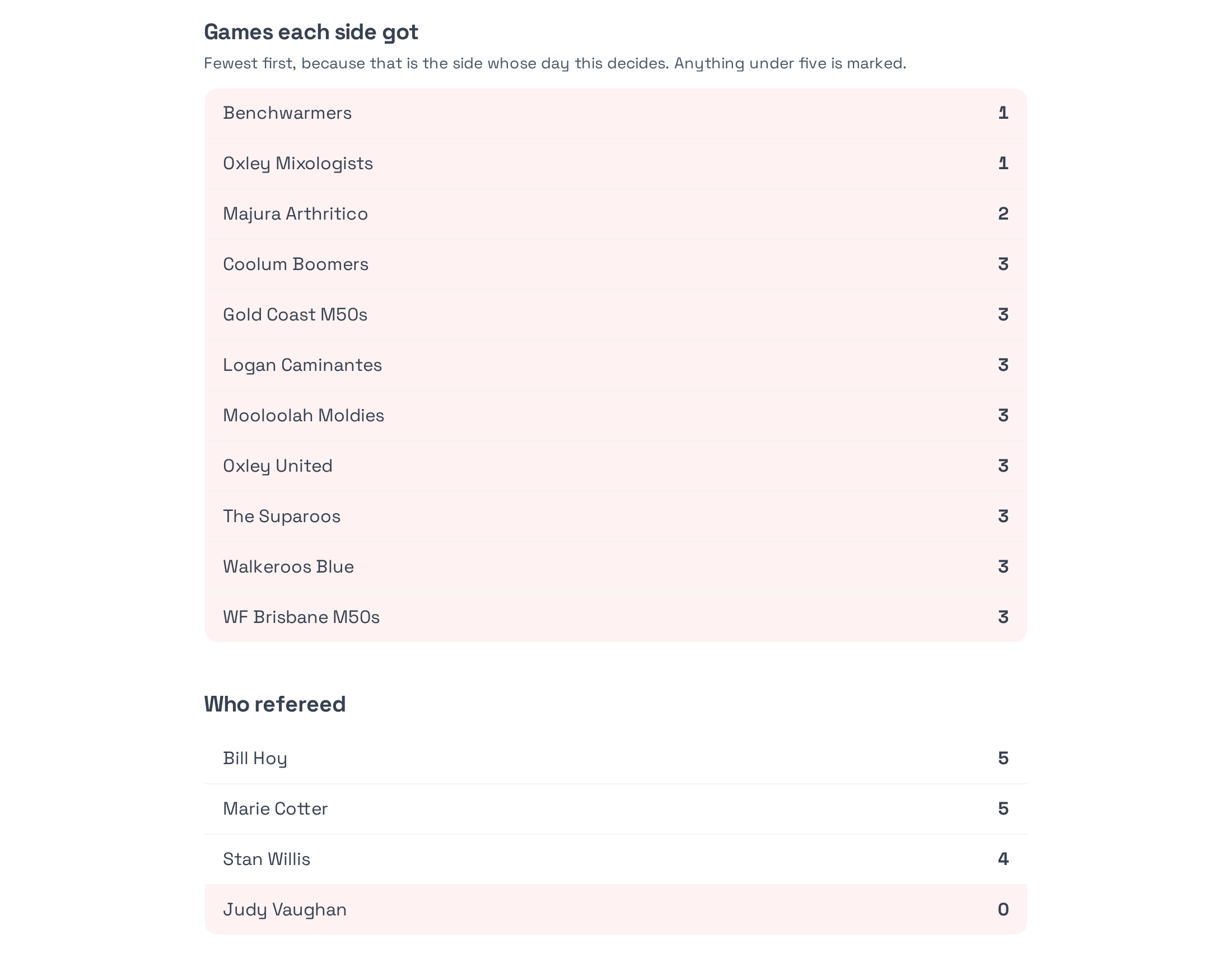
What happened, counted
Afterwards, the review: games each side actually got with the worst first, who refereed and who was on the panel and never given a game, how the entries went from asked to played, and what the day cost against what came in. “Everybody got plenty of games” is what an organiser remembers a fortnight later. The side that got three is what that side remembers, and only one of those is a number.
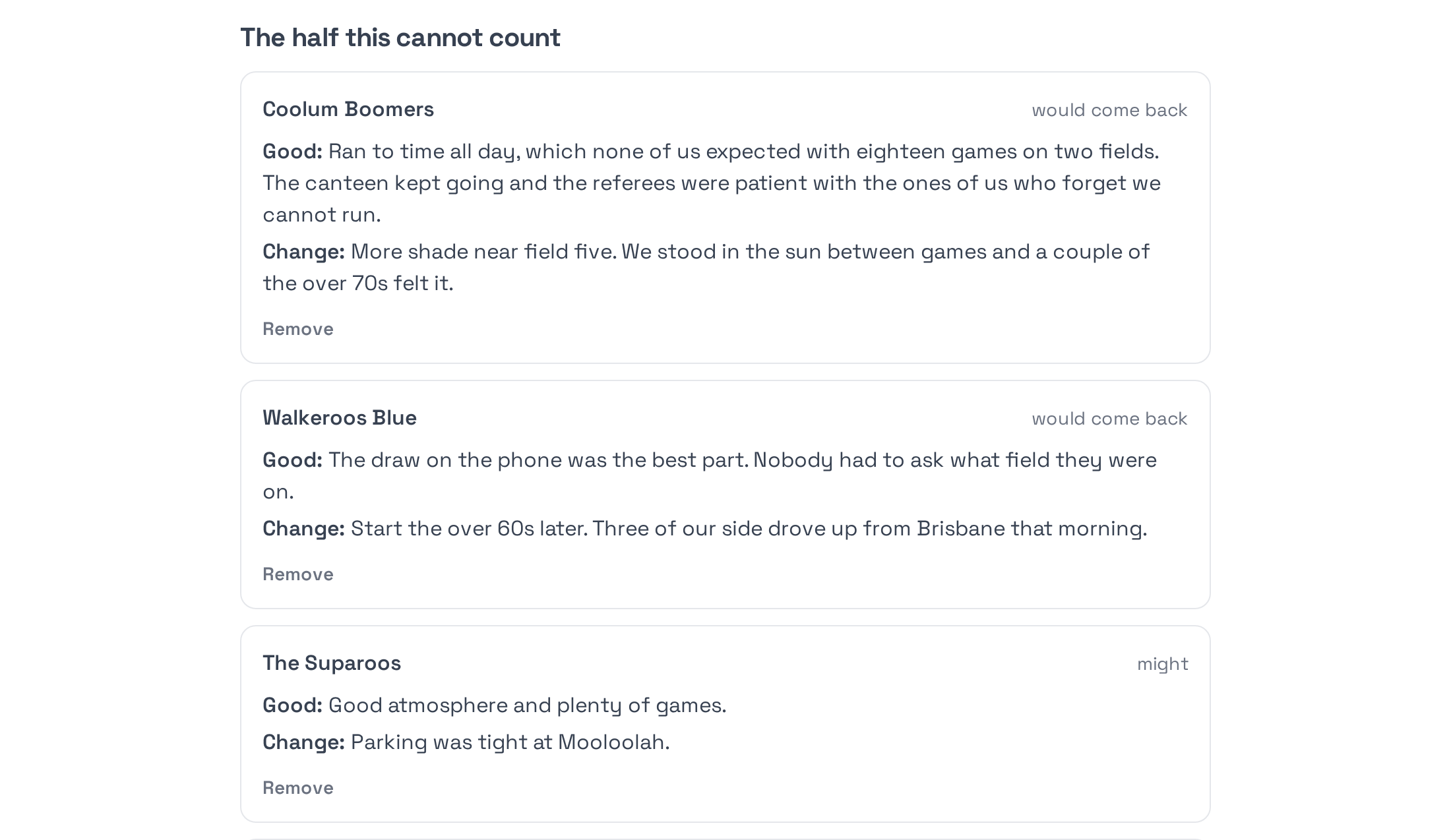
Three questions, and a link each
The half that cannot be counted comes from asking: what was good, what would you change, would you come back. Three questions rather than fifteen, because fifteen gets a twelve per cent response and three gets most of a field. Every club gets its own link, so each club can only answer for itself and nobody can quietly overwrite what another club said.
And then again next year
Next year’s tournament is made from this one: the grades, the formats, the fees and the match lengths carry over, and the things that must not carry are deliberately left behind. The copy arrives as a draft with entries closed, because a tournament that opens itself the moment somebody clicks copy is worse than no shortcut at all.
Written down, for whoever is doing it this year
Tournament committees turn over, and most of what they know is not written anywhere. There is a guide for each job, one for the person on the referee panel and one for the club entering and one for the organiser on the day, and a full tournament manual covering the decisions rather than the buttons. Each one has a link to hand to somebody who needs it.
How a member actually uses it
- 1 Register and pay Sign up through the club’s own form. Pay by card for a single match, a quarter or a year, or pay the club directly and have it recorded. A government voucher code comes off the price.
- 2 Check your details Set your preferred name, date of birth, phone, a photo and emergency contacts on your account page. Add your children if you have any.
- 3 Say if you are coming Your convenor shares one link per squad. Tap your name once, then In or Out for each session. A parent answers for their children from the same page.
- 4 Talk to your squad Every squad has a thread on the site. No second app and no second password, and it can buzz your phone when somebody posts.
- 5 Find your fixture Your grade’s page shows the table, the results and what is next. Every fixture links to the line-ups.
- 6 Play The referee runs the match from a phone. The score, the cards and the timeline appear on the fixture page, and the table updates itself.
How a tournament actually runs
- 1 Set it up once The tournament, its grades, the grounds, the fees and the closing date. Or copy last year’s and change the dates.
- 2 Invite, or open the door Invite clubs by email, or publish the page and let them ask. Entries fill, then waitlist in the order they arrived.
- 3 Accept An accepted squad drops straight into its grade, so the list the draw reads and the list of who is in are the same list.
- 4 Draw it, then check it Generate the draw, then read what is wrong with it: sides drawn too few games, not enough referees at the busiest moment, two sides in the same colours.
- 5 Print the morning sheet Emergency address, defibrillator, who to find, match length, grades, panel and draw. One page, on paper, working without signal.
- 6 Play it Referees run their games from a phone. Scores, cards and timelines land on the fixture pages and the tables keep themselves.
- 7 Review it while it is honest The numbers are counted for you. Send each club its own link and ask the three questions within the fortnight.
- 8 Do it again Copy it into next year as a draft, with entries closed until you are ready.
How it compares
Spond, Teamer and Squadi are all good at what they were built for, and two of them are free. This table is here so a committee can see where Match Day is different rather than where it is louder.
The Match Day column describes software that exists and has been tested. The other three are from each product’s own published material as at September 2026 and have not been verified against a paid account, so check anything that would decide your choice. Where a cell says “not checked” it means exactly that: nobody here has looked, and a dash would have implied we had.
-
Runs on your own website and domain
- Match Day
- ✓
- Spond
- –
- Teamer
- –
- Squadi
- –
-
Draws: round robin, knockout, group then cup, Swiss
- Match Day
- ✓
- Spond
- –
- Teamer
- –
- Squadi
- ✓
-
Ladders and results
- Match Day
- ✓
- Spond
- –
- Teamer
- basic
- Squadi
- ✓
-
Fixture scheduling across pitches and times
- Match Day
- ✓
- Spond
- –
- Teamer
- –
- Squadi
- ✓
-
Tournaments: entries, waitlist, briefing sheet, review
- Match Day
- ✓
- Spond
- not checked
- Teamer
- not checked
- Squadi
- not checked
-
Kit clash warnings from the draw
- Match Day
- ✓
- Spond
- not checked
- Teamer
- not checked
- Squadi
- not checked
-
Team sheets with eligibility checks
- Match Day
- ✓
- Spond
- –
- Teamer
- –
- Squadi
- registration based
-
Player ratings from results
- Match Day
- ✓
- Spond
- –
- Teamer
- –
- Squadi
- –
-
Offline referee app with clock and cards
- Match Day
- ✓
- Spond
- –
- Teamer
- –
- Squadi
- match day tools
-
Availability for a session
- Match Day
- ✓
- Spond
- ✓
- Teamer
- ✓
- Squadi
- ✓
-
Guardians managing children
- Match Day
- ✓
- Spond
- ✓
- Teamer
- limited
- Squadi
- ✓
-
Registration with review and payment
- Match Day
- ✓
- Spond
- ✓
- Teamer
- ✓
- Squadi
- ✓
-
Instalments and payment plans
- Match Day
- ✓
- Spond
- manual plans
- Teamer
- –
- Squadi
- ✓
-
Government voucher codes
- Match Day
- ✓
- Spond
- –
- Teamer
- –
- Squadi
- ✓
-
Group chat
- Match Day
- one thread per squad
- Spond
- ✓
- Teamer
- ✓
- Squadi
- ✓
-
Direct messages between members
- Match Day
- –
- Spond
- ✓
- Teamer
- ✓
- Squadi
- ✓
-
Native phone app
- Match Day
- –
- Spond
- ✓
- Teamer
- ✓
- Squadi
- ✓
-
Push notifications
- Match Day
- web push
- Spond
- ✓
- Teamer
- ✓
- Squadi
- ✓
-
Discipline and suspensions
- Match Day
- cards recorded
- Spond
- –
- Teamer
- –
- Squadi
- ✓
-
Per member cost
- Match Day
- none, it is your site
- Spond
- free
- Teamer
- free tier
- Squadi
- priced per body
What Match Day does not do
Worth saying plainly, because you will find out anyway.
- There are no direct messages. Chat is one thread per squad and nothing else, because a private channel between an adult and a junior is a risk a club should not have to manage. Juniors are kept out of chat entirely and their guardian reads and posts for them.
- There is no native app. It is a website that works well on a phone. Notifications reach an Android phone as they would from an app, but an iPhone will only accept them once the site has been added to the home screen, which is one thing you will have to show people how to do.
- Discipline records cards against a player but enforces no rules. Suspensions and fines are worked out by the club.
- Tournament money in can be taken by card. Money out is recorded rather than moved: what is owed to each ground and each referee is worked out and tracked, but the transfer itself happens in your bank. Splitting a payment across several accounts would mean onboarding every ground and every referee to a payment provider, which is a worse job than the one it saves.
- It is not a federation system. If your competitions run under a state body that mandates its own platform, Match Day sits alongside it rather than replacing it.
Have a look at the real thing
Every screenshot on this page is the working software with a season loaded into it, not a drawing. The quickest way to judge it is to run one grade through a season and see whether your convenors stop keeping a spreadsheet.