
Enter a tournament
For whoever runs a squad. Get your club on the site, get into the tournament, pick your side and tell your players — without anybody downloading anything.
Start your squad
Start a squad, give it the name your players would recognise, and you convene it. If a squad of that name already exists you are shown it rather than given a second one, because the same club twice in one draw is somebody's afternoon wasted.
Add the people who might play. A name is enough; an email lets you send them their own link. Untick somebody who has stopped rather than removing them, so last season still makes sense.
Choose your shirt
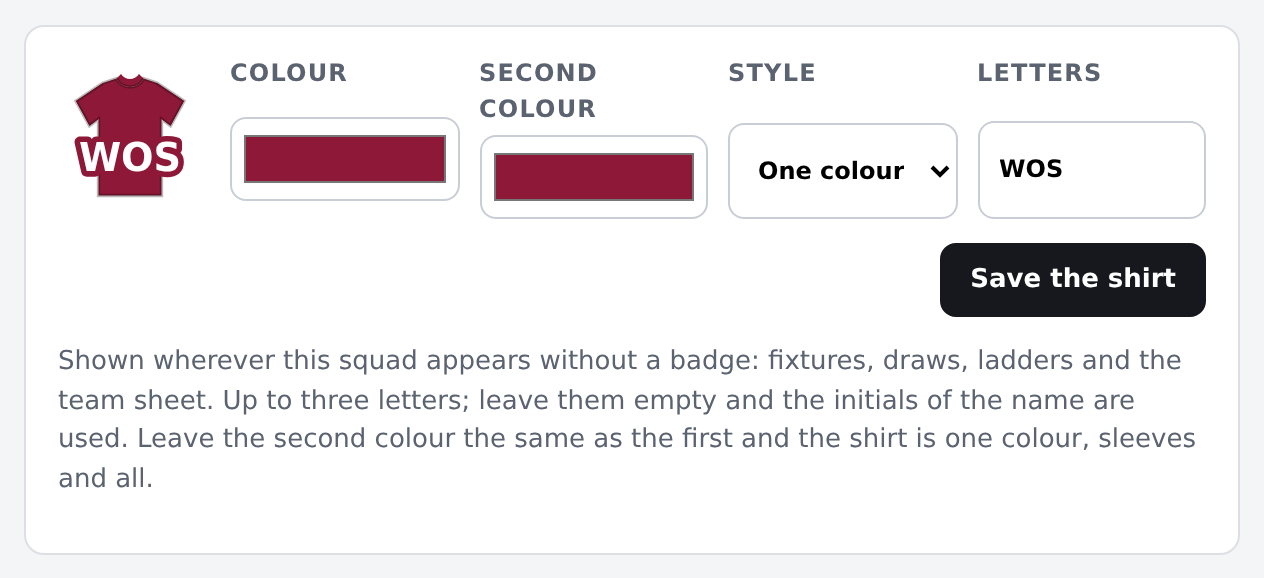
Under The shirt: your colour, a second colour, a style — one colour, stripes, hoops, sleeves or a sash — and up to three letters. It is what your squad wears on every fixture, draw and ladder on the site. Leave the second colour the same as the first and it is one colour, sleeves and all.
Get into the tournament
If the organiser has invited you, the invitation email has a link that needs no login: accept or turn it down in one tap. Otherwise, your account page lists tournaments still taking entries: press Ask for a place, choose which of your squads is asking, and the organiser is told.
Where you stand is on that same page: invited, asked, in, or where you sit on the waitlist. Nobody has to email anybody to find out.
Ask your players who is coming
Your squad has one availability link that everybody uses. They pick their own name and answer — no login, nothing to set up. You see the answers against each session, and so does the team sheet when you come to pick.
Pick the side
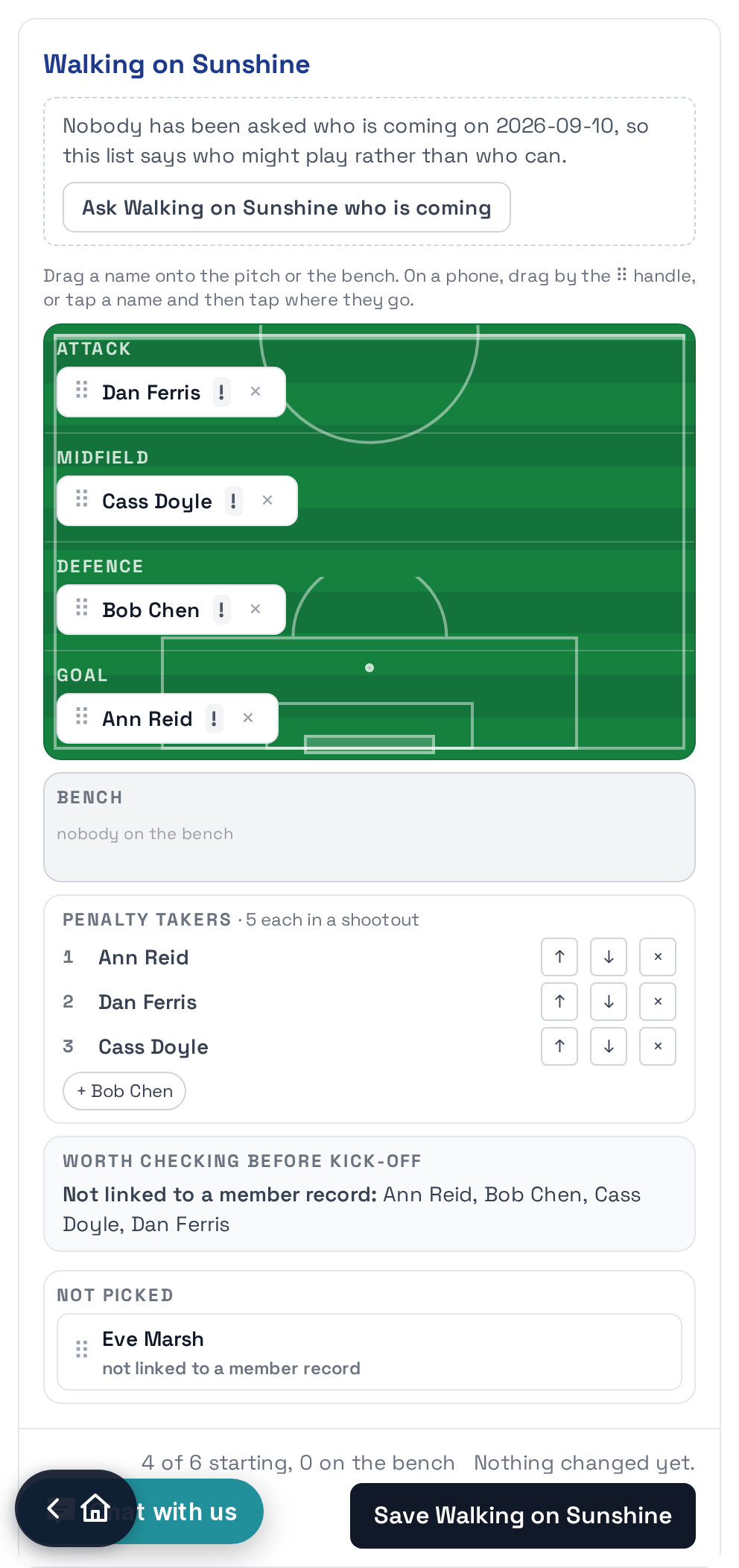
From your squad screen, Pick the side on any game. Drag names onto the pitch or tap a name and tap where they go. It marks anybody outside the grade's ages, anybody whose fees are outstanding and anybody who said they could not make it, and it never refuses them: plenty of clubs grant exemptions, and being told is the useful part.
Set your penalty takers there too, in the order they take them. The referee's screen reads that order if it goes to a shootout.
Everyone knows where to be
Your players see their next games at the top of every page: who, when, which field, and whether they are starting or on the bench. The fixture page shows both sides on the pitch, and after the game the whole timeline of it: who scored, who was booked, who came on, and the shootout kick by kick.

And the table, which needs nobody to keep it: it is worked out from the results as they come in.

The other guides
- Tournament manual The whole job, in order: committee, money, insurance, the ground, the day itself. The one to read before opening a screen.
- Start a tournament From nothing to a page anybody can read, in about ten minutes.
- Run your tournament Entries, waitlists, what it costs, who has paid and where the money goes.
- Run your weekly night Whoever turns up, drawn into even sides, told where to stand.
- An organiser on match day The morning of, the day itself, and what to do when something changes.
- A referee on match day One screen, one thumb, no signal needed.
- Manage a panel of referees Who is on the panel, who has which game, and who can see the whole card.